








Ready work starts itself.
Catalyst pulls ready issues from Linear into intake. Blocked work waits until its dependencies clear.
Catalyst runs your coding agents in the cloud, from ready issue to merged PR. You step in when it needs your judgment.
Join the waiting list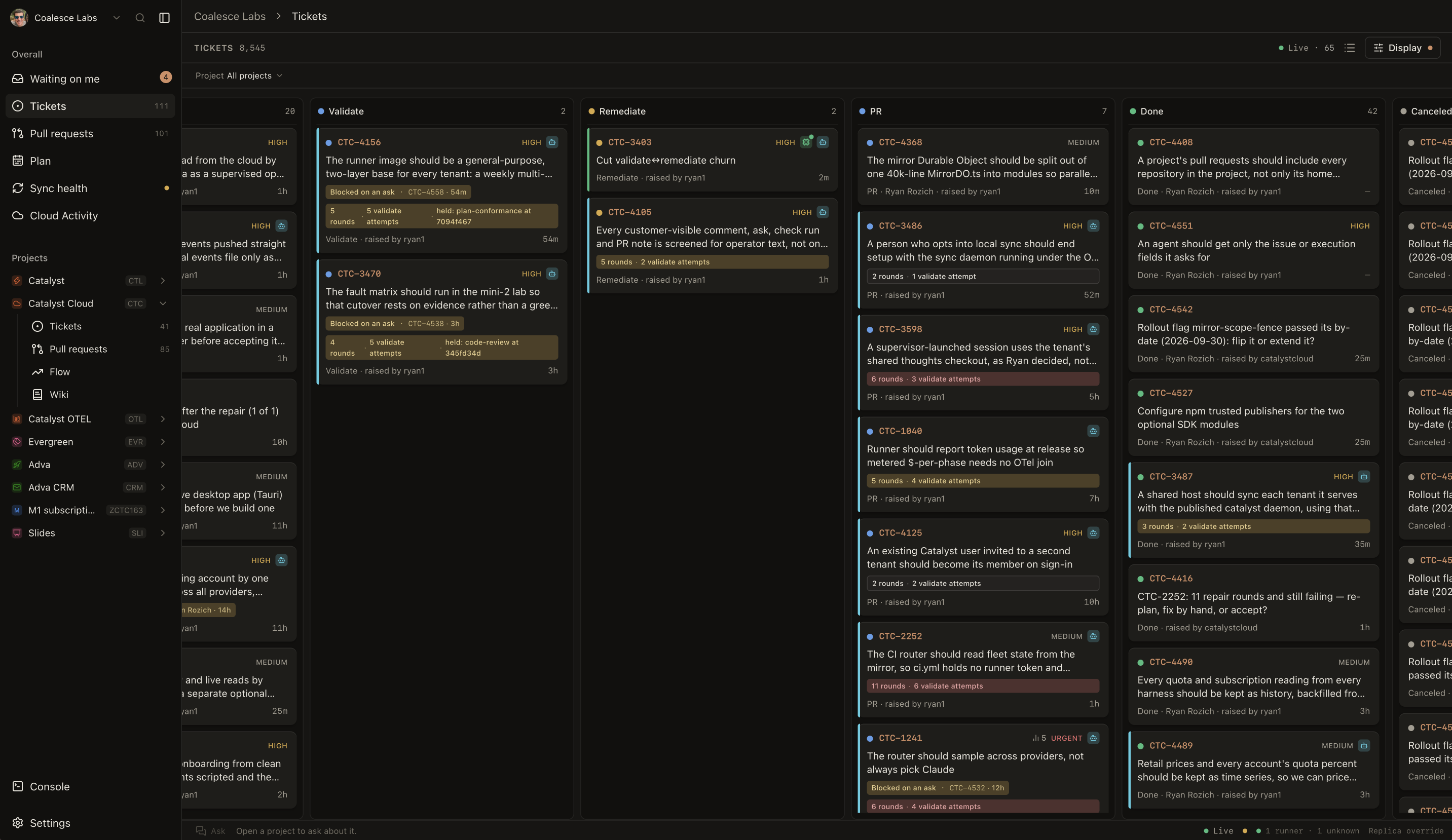
Run your team's coding agents in parallel in the cloud, with Catalyst coordinating the work. Let Catalyst choose the right agent, model, and effort level for each job.
BYOK Bring your own API keys.
Linear and GitHub stay your sources of truth. Catalyst picks up ready work and responds as issues, reviews, and checks change. No need to tag Catalyst or hand off each ticket.


Catalyst pulls ready issues from Linear into intake. Blocked work waits until its dependencies clear.
The coding agents you already use can work in parallel, even when your laptop is closed.
Research, planning, implementation, and validation follow a repeatable path. Codebase context and rules travel with the ticket.
Catalyst follows GitHub checks and reviews, handles routine failures, and queues validated PRs for merge. It brings you decisions with the context you need.
When Catalyst needs your judgment, it shows the question, what it knows, and the available answers. Resolve it in Waiting on me so the work can move again.
This is a silent screen recording.
Catalyst maps the repository, writes source-linked documentation, and answers natural-language questions with citations. People can browse the wiki. Coding agents can ask for context before searching file by file.
This is a silent screen recording.
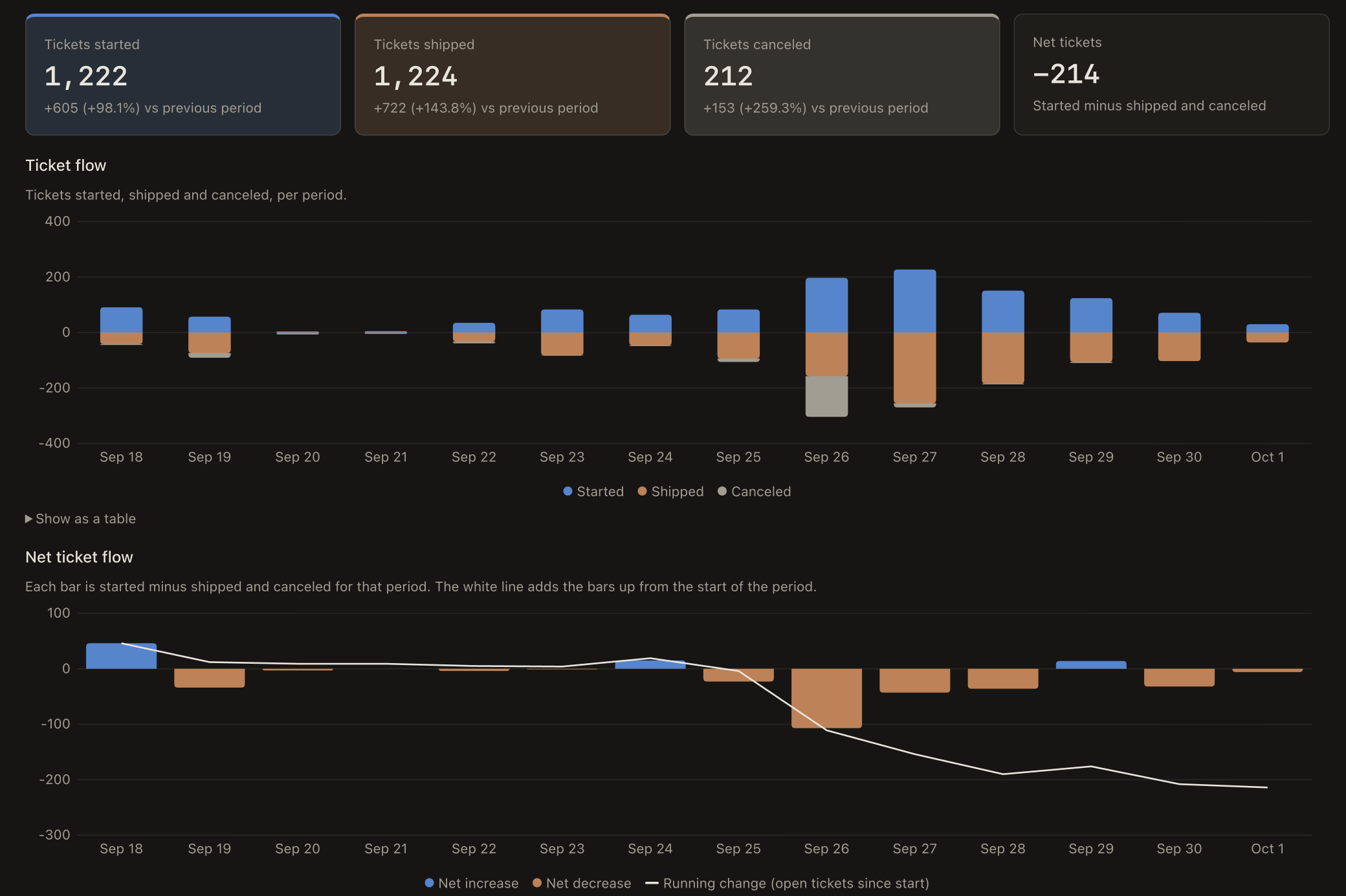
See whether the team is finishing as much work as it starts, where work is waiting, and how long tickets and PRs take.
Are we starting more work than we finish?
Let your coding agents work through the backlog while you set priorities and make the calls. Join the waiting list to try Catalyst Cloud.
Already using Catalyst? Open the app